Consider you have a list of items which you show to the user regularly, be it in a table or a listOfValues or even for processing. With default setting of the view object you would have to fire as many queries as you have in database ( Duh ! )
So the default settings look like this:
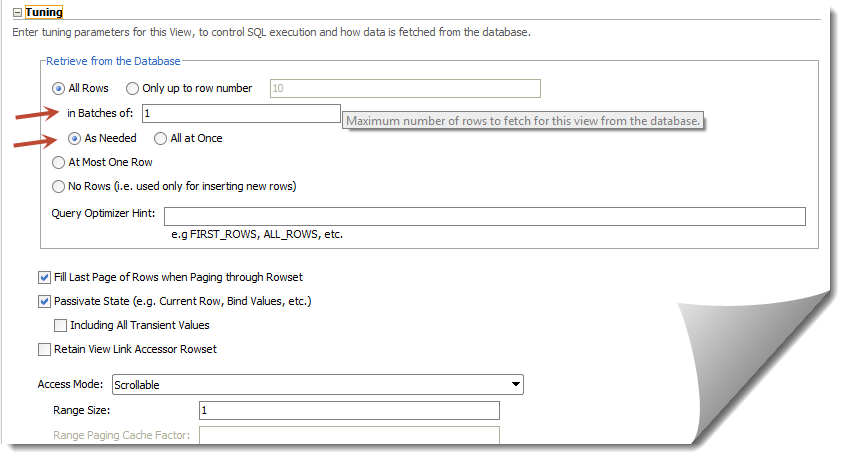
With the above settings it will fetch "All the rows" in batches of 1 ( "As Needed" ). This largely affects the table scrolling as queries gets fired "As Needed" in batches of 1.
For caching purposes we should have "All Rows" queried "All at Once" - this will ensure we get all results into our view with just one query. Be careful though with the number of records you have in table - you might land up in "OutOfMemory" exception :)

Note: You might also want to play around with "in batches of" parameter to regulate the number of queries fired.
So the default settings look like this:
With the above settings it will fetch "All the rows" in batches of 1 ( "As Needed" ). This largely affects the table scrolling as queries gets fired "As Needed" in batches of 1.
For caching purposes we should have "All Rows" queried "All at Once" - this will ensure we get all results into our view with just one query. Be careful though with the number of records you have in table - you might land up in "OutOfMemory" exception :)
Note: You might also want to play around with "in batches of" parameter to regulate the number of queries fired.

